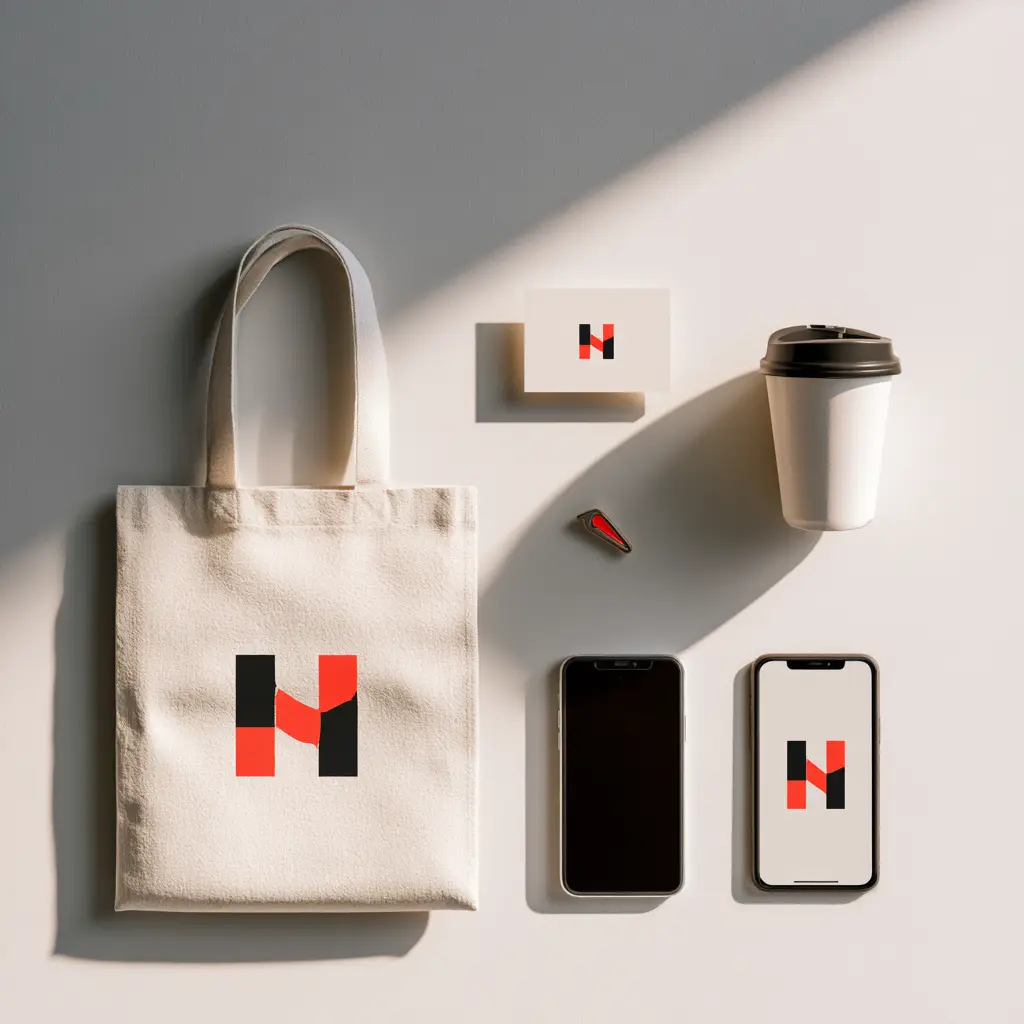
The logo that looks sharp on your pitch deck is often the same file someone later crams into a 16-pixel browser tab, where it turns to mush. That gap blindsides almost every small business. A logo that works everywhere isn't one file. It's a small set of logo variations, each built for a different surface: a website header, a phone screen, a printed sign, a social avatar. This is what that set looks like, and what to ask your designer for.
Why One Logo File Is Never Enough (the at-a-glance set)
A logo that works everywhere is a set of variations. At minimum you need a primary lockup, a compact secondary version, and a standalone mark or icon, plus monochrome and reversed versions for awkward backgrounds. Each exists so your brand stays legible whether it's 16 pixels wide or two metres tall.
Close to eight in ten of the brands that come to us for a refresh arrive with a single logo file and nothing else: no mark, no white version, no favicon export. It usually works fine in the one place it was first used, then falls apart the moment it has to live somewhere new. That's the difference between buying a logo file and proper logo design for small businesses, where the logo is treated as a system from day one. Here's the full set at a glance.
| Variation | Where it's used | Why you need it |
|---|---|---|
| Primary logo (full lockup) | Website header, letterhead, the main "hero" placement | Your default, most recognisable form, for anywhere with room to show the whole thing |
| Secondary or stacked lockup | Tight spaces, square placements, app splash screens | A reshaped version for when the primary is too wide or too short to fit |
| Logo mark or icon | Social avatars, app icons, merchandise | The standalone symbol, recognisable with no wordmark attached |
| Favicon (16 to 32px) | Browser tabs, bookmarks, the address bar | A stripped-back mark that survives at tiny pixel sizes |
| Monochrome (black) | Single-colour print, stamps, engraving, faxed forms | One flat colour for anywhere full colour isn't possible |
| Reversed (white) | Dark backgrounds, photos, video overlays | Keeps the logo visible when the background is dark |
| Horizontal vs vertical lockup | Wide footers versus narrow sidebars and signage | Two orientations so the logo fits the shape of the space |
The Logo Variations Every Brand Needs
Most small businesses can get a long way with four core logo variations. Once these exist as proper files, the favicon, the reversed version, and the rest are quick exports rather than fresh design work.
The primary lockup. This is your default: the full combination of symbol and name that most people picture when they think of your brand. It goes in the website header, on the homepage, and anywhere there's enough room to show the whole thing. Every other variation is derived from it.
A compact or secondary version. The same logo reshaped for tighter spaces, whether that's a stacked version where the primary is too wide or a shortened form that drops a tagline. You'll reach for this constantly: app screens, email signatures, and square placements where the primary simply doesn't fit.
The standalone mark. The symbol on its own, with no words attached. A strong mark is what makes a 32-pixel app icon or a social avatar recognisable, and it's the part of your identity that has to carry the brand when there's no space for text. Not every logo has one, but most are better for it.
The wordmark. Your business name set in your brand's typeface, with no symbol. It's useful when the mark alone isn't yet well known enough to stand in for you, and it reads cleanly at sizes where a detailed symbol would turn muddy. Plenty of brands lead with a wordmark and add the mark later.
From 16 Pixels to a Storefront: Designing for Scale
The hardest test for any logo is the range of sizes it has to survive, from a favicon barely bigger than a full stop to a sign you read from across the street. Different sizes call for different variations, and a couple of rules keep all of them sharp.

Tiny sizes: favicons and app icons. At 16 by 16 pixels, a full lockup is hopeless. The text closes up and the whole thing reads as a grey blob. This is where the standalone mark earns its place. Export it cleanly for a 16px and 32px favicon, a 180px Apple touch icon, and a 512px app icon, then check each one at actual size rather than zoomed in on your screen.
When we rebuilt GlowBrew's identity, the single biggest fix was a proper mark. The old full lockup was unreadable below roughly 40 pixels, so for months their app icon and favicon had been a blurry crop of the wordmark. You can see the before and after in the GlowBrew case study.
Social avatars. Profile images are almost always circular or square crops, so the mark, or a tightly centred compact lockup, wins again. A wide primary logo dropped into a round avatar just gets its edges shaved off.
Large format and signage. At the other extreme, a printed sign or vehicle wrap needs vector art so it stays crisp at any size, strong contrast so it reads from a distance, and enough clear space that nothing crowds it. Physical signage and print is also where a designer who handles large-format and print design will catch problems a screen-only file misses, like a colour that looks great on a monitor and goes muddy on vinyl.
Two rules apply across that whole range. Clear space is the minimum margin you keep around the logo so nothing else crowds it, usually defined against part of the logo itself, like the height of its main letter. Minimum size is the smallest you're allowed to use each variation before it stops being legible. Both belong in writing, so whoever uses the logo next doesn't have to guess.
Logo File Formats Explained (and What to Ask For)
Logo file types fall into two camps, and the difference is the single most useful thing to understand before you accept a handover. Get this right and you'll never be caught without the file you need.
Vector files are built from maths, not pixels, so they scale to any size without losing a shred of quality. They're what you use for anything that might be resized or printed. Raster files are made of a fixed grid of pixels, so they have a set resolution and blur if you push them past it. They're what screens and the web mostly run on.
The logo formats worth knowing, and when each is used:
- SVG. The web vector standard. Tiny file size, infinitely scalable, ideal for your website logo and favicon. Ask for this one specifically, because a surprising number of handovers leave it out.
- EPS and AI. The print and design vectors. Your printer, sign-maker, or any future designer will ask for one of these. AI is Adobe Illustrator's native file; EPS is the broadly compatible exchange format.
- PDF. A portable vector almost anyone can open and place. Handy for sending a logo to a vendor who doesn't own design software.
- PNG (transparent). The everyday raster. Transparent background so it drops onto any colour, which makes it perfect for slide decks, documents, and quick web use. Get these exported at a few sizes.
You don't need to become fluent in any of this. You do need your designer to hand over the vector source files plus ready-to-use PNGs, so you're never stuck asking a former contractor for a file you already paid for.
Colour, Contrast, and Backgrounds
A logo has to hold up against whatever sits behind it, and that's rarely the clean white you designed it on. Three colour versions cover almost every situation you'll meet.
The full-colour version is your standard, for white or very light backgrounds where the brand colours read properly. The one-colour version, usually solid black, is for single-colour printing, stamps, engraving, faxed forms, and any place colour isn't available or affordable. The reversed version, usually solid white, is for dark backgrounds, photographs, and video.
That reversed version is the one most small businesses are missing, and it isn't optional. More than half the logos handed to us at kickoff have no white version at all. The gap shows up the instant the brand lands on a dark website section, a photo banner, or a coloured social tile, where a dark logo either disappears or has to sit inside an ugly white box. Building the reversed version up front costs nothing extra; retrofitting it later means going back to the source art every single time.
Wherever the logo sits on a busy photo, keep contrast high enough to read at a glance, and lean on the monochrome or reversed version rather than forcing the full-colour one over a cluttered image.
What a Complete Logo Set Should Include
A logo is the centrepiece of your small business branding, but a single file isn't a finished job. Before you sign off on any logo project, check the handover against this list. If something's missing, it's far cheaper to ask for it now than to chase it down a year later.
- Every variation: primary lockup, compact or stacked version, standalone mark, and wordmark.
- Every format: vector source (SVG, EPS or AI, and PDF) plus transparent PNGs at a few sizes.
- All three colour versions: full-colour, one-colour black, and reversed white.
- A dedicated favicon export, sized and tested for 16px and 32px.
- Clear-space and minimum-size rules, written down, not just implied.
- Colour codes for every brand colour: HEX for web, RGB for screen, CMYK for print, and Pantone for accurate physical reproduction.
- A short usage guide: the do's and don'ts that stop your logo being stretched, recoloured, or boxed in by whoever touches it next.
That full handover is what turns a logo into a working brand identity system rather than a single graphic. We usually hand over six to eight variations as standard for a small business identity, and more when a brand lives on physical signage as well as screens. If you're standing up a brand for the first time, this set is part of what a proper startup branding engagement should deliver, not an upsell on top of it. Costs scale with how many variations and formats you need, which is something we cover in our guide to logo design cost in Canada.
Frequently Asked Questions
How many logo variations do I actually need?
Most small businesses need four core variations to start: a primary lockup, a compact or stacked version, a standalone mark, and a reversed white version. From those, a favicon and a one-colour black version are quick exports. Brands that live on signage, apps, or merchandise usually need a few more, but four is a sensible floor.
What is the right file for a favicon?
Use your standalone mark, not the full lockup, exported as an SVG plus PNGs at 16px and 32px. At that size the wordmark is unreadable, so the symbol has to carry it on its own. If your logo has no separate mark, that's usually a sign the set is incomplete.
Why does my logo look blurry on signage or large prints?
Almost always because it's a raster file, usually a PNG or JPG, being stretched past its fixed resolution. Signage needs vector art (EPS, AI, or PDF), which stays crisp at any size. If a printer asks for vector and all you have is a PNG, you need the source files back from your designer.
What file formats should my designer hand over?
Vector source files (SVG for web, plus EPS or AI and a PDF for print) and transparent PNGs at a few sizes. Vectors scale to anything; PNGs cover everyday screen use. Owning both means you're never locked out of your own logo or dependent on a past contractor.
A logo isn't a single file you order once and forget. It's a small set of variations and formats that keeps your brand sharp on every surface it lands on, from a browser tab to a building. Get that set built properly at the start and it quietly does its job for years. The same logic runs through the rest of your identity: the way your brand sounds matters as much as the way it looks, which is why we treat a logo and a documented brand voice and tone as two halves of the same system.
Parabolic Studio builds full brand identity systems for small businesses across Vancouver and the Lower Mainland, not just a single logo file. If you want a logo that works everywhere from day one, with every variation, format, and colour version handed over properly, let's talk.